> ## Documentation Index
> Fetch the complete documentation index at: https://docs.scale3labs.com/llms.txt
> Use this file to discover all available pages before exploring further.
# Setup
> Alert Channels allow you to route alerts to one of more channels of your choice. We currently support the following channels
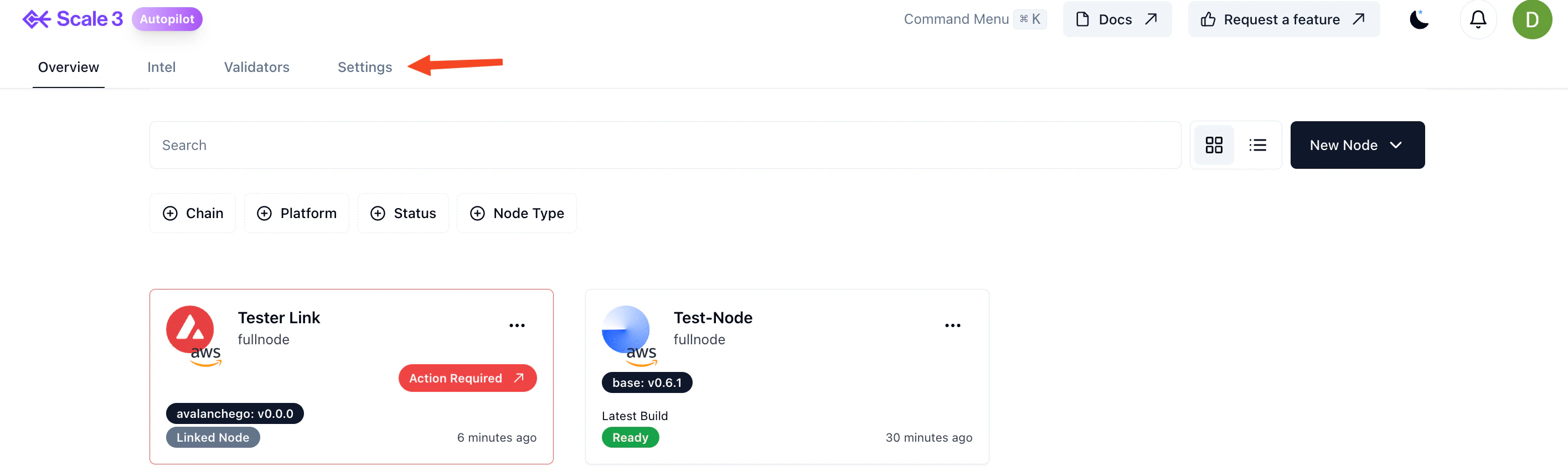
1. On the Home Page, click the **Settings** tab.
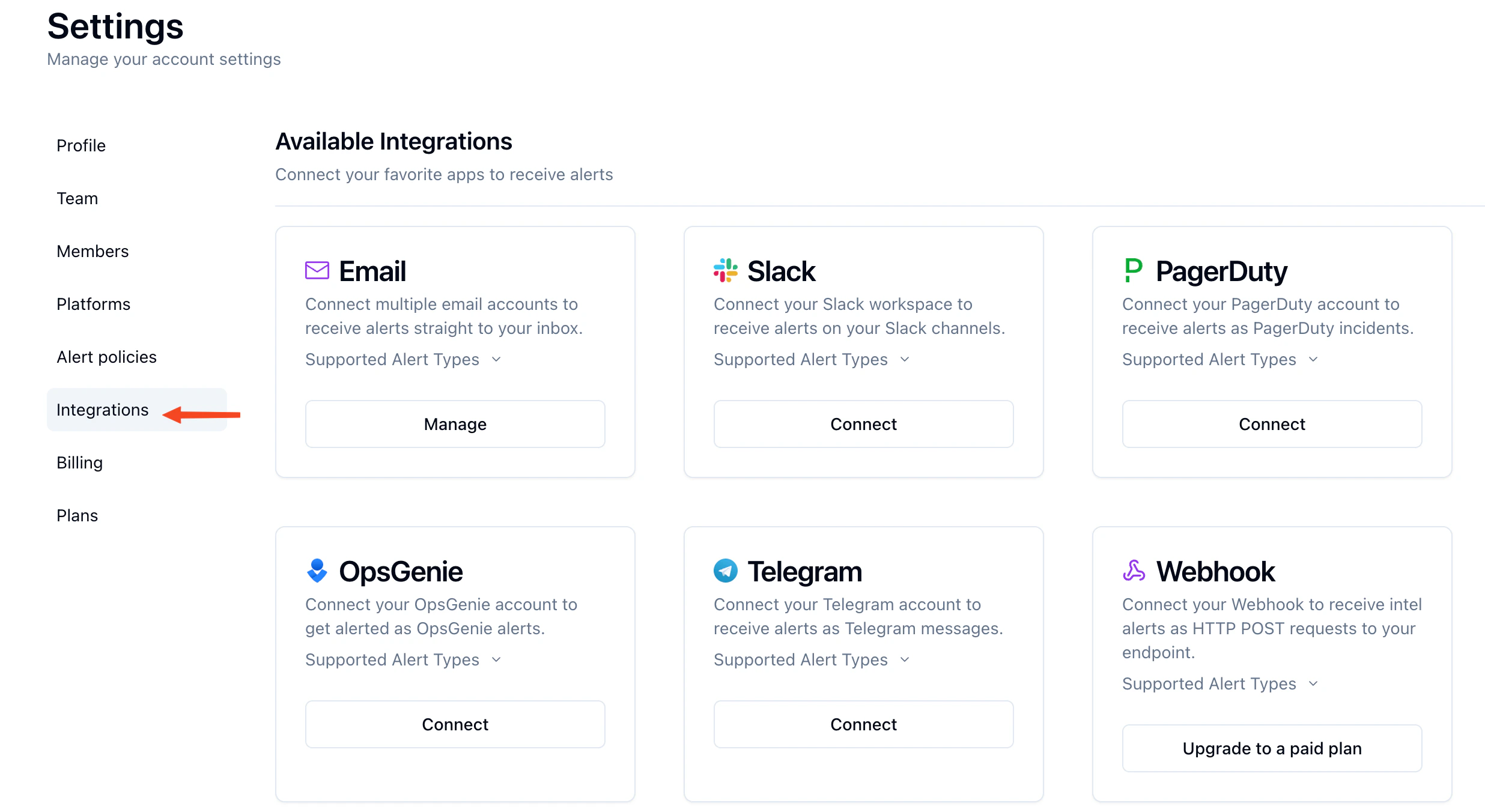
 2. Click on **Integrations** tab on the left to see the available alert channels.
 * [Email](/alerting/channels/email)
* [Slack](/alerting/channels/slack)
* [PagerDuty](/alerting/channels/pagerduty)
* [OpsGenie](/alerting/channels/opsgenie)
* [Telegram](/alerting/channels/telegram)
* [Webhook](/alerting/channels/webhook)
* [Email](/alerting/channels/email)
* [Slack](/alerting/channels/slack)
* [PagerDuty](/alerting/channels/pagerduty)
* [OpsGenie](/alerting/channels/opsgenie)
* [Telegram](/alerting/channels/telegram)
* [Webhook](/alerting/channels/webhook)