> ## Documentation Index
> Fetch the complete documentation index at: https://docs.scale3labs.com/llms.txt
> Use this file to discover all available pages before exploring further.
# OpsGenie
> Steps to setup alerts for OpsGenie
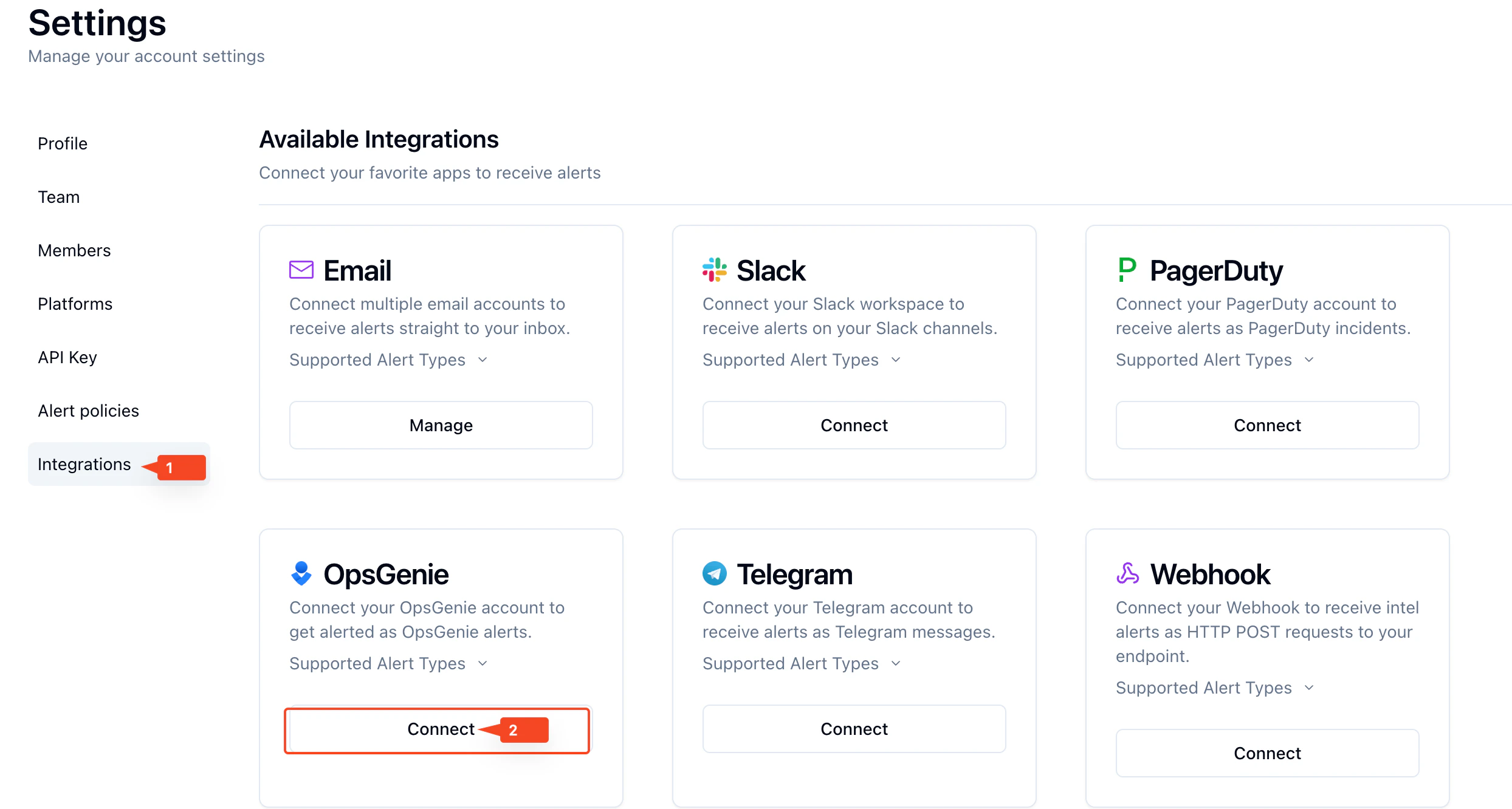
Click on **Integrations** tab on the left, then press **Connect** under **OpsGenie**.
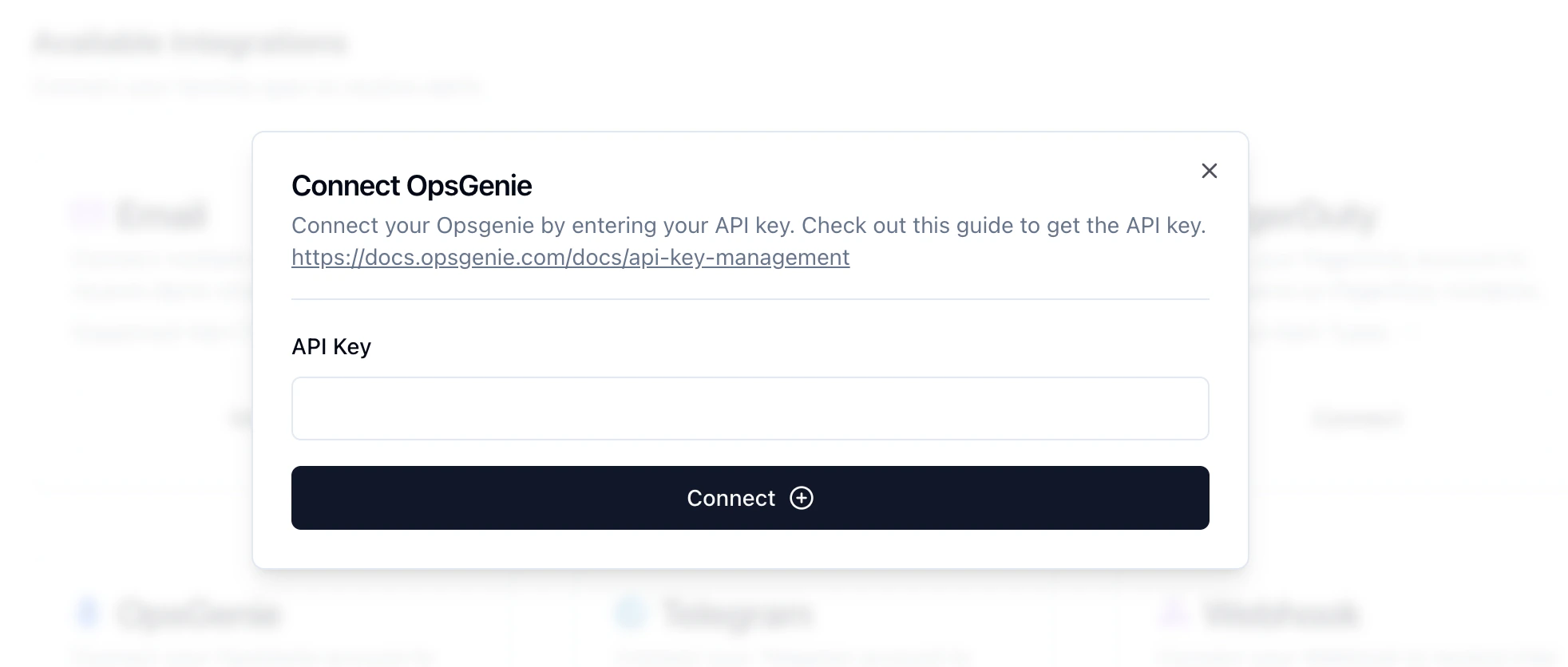
 Enter your **API Key** from your **OpsGenie** account. Click on the link for instructions.
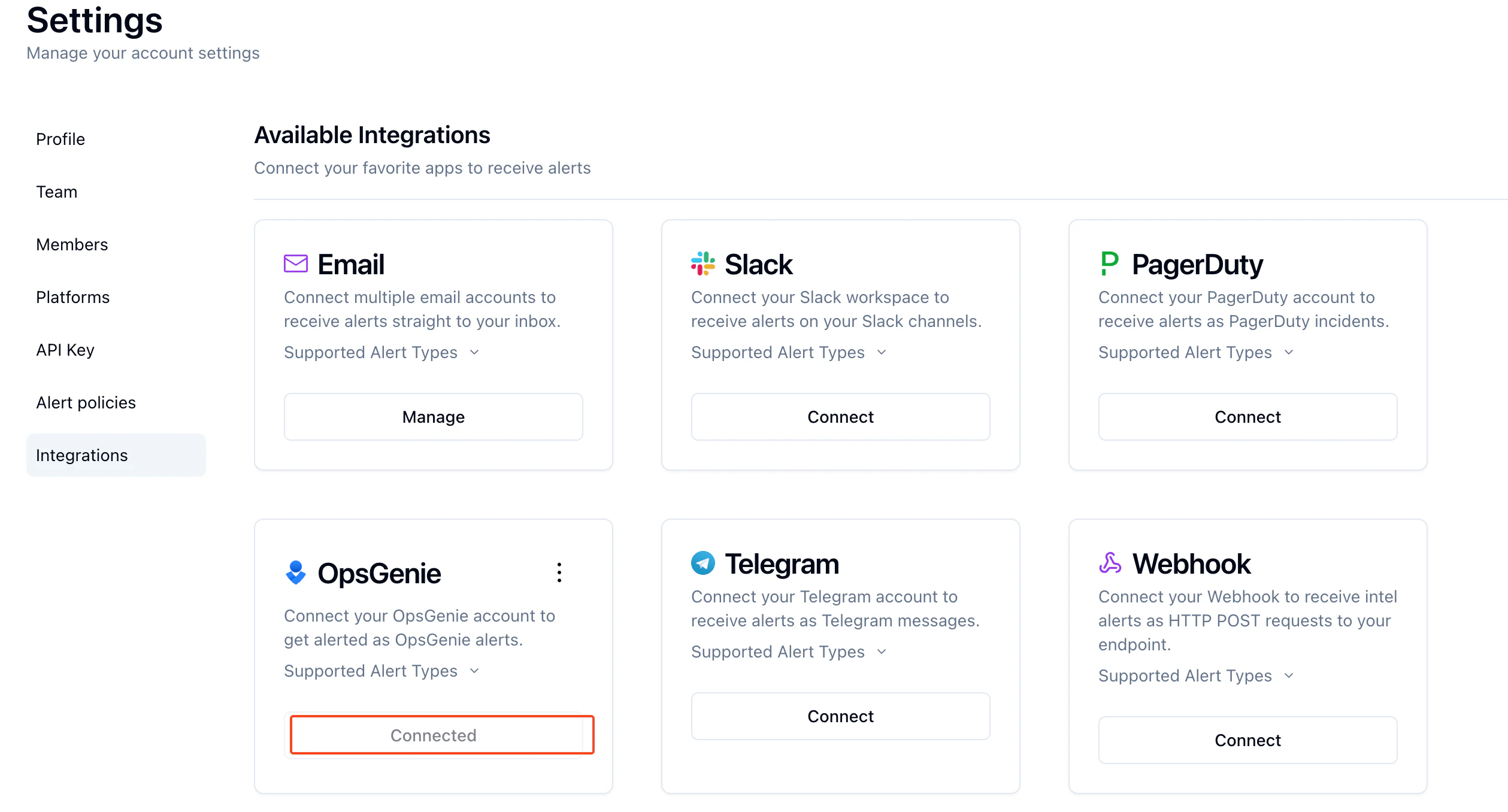
 Verify by seeing **Connected** under the **OpsGenie** section in the Integrations tab.
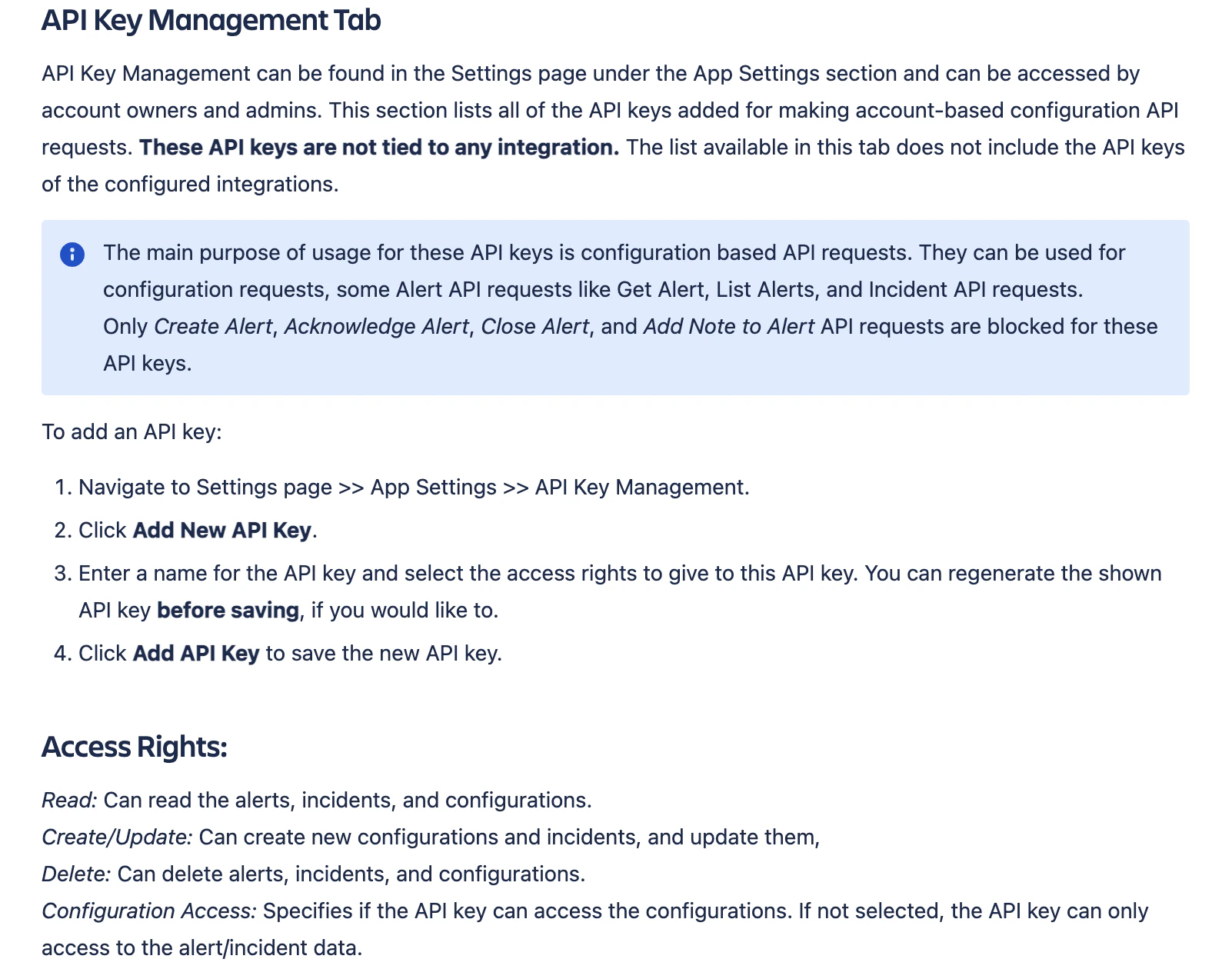
 **Note: If linked is clicked, look for API Key Management Tab section**