> ## Documentation Index
> Fetch the complete documentation index at: https://docs.scale3labs.com/llms.txt
> Use this file to discover all available pages before exploring further.

# Slack

> Steps to setup alerts for Slack

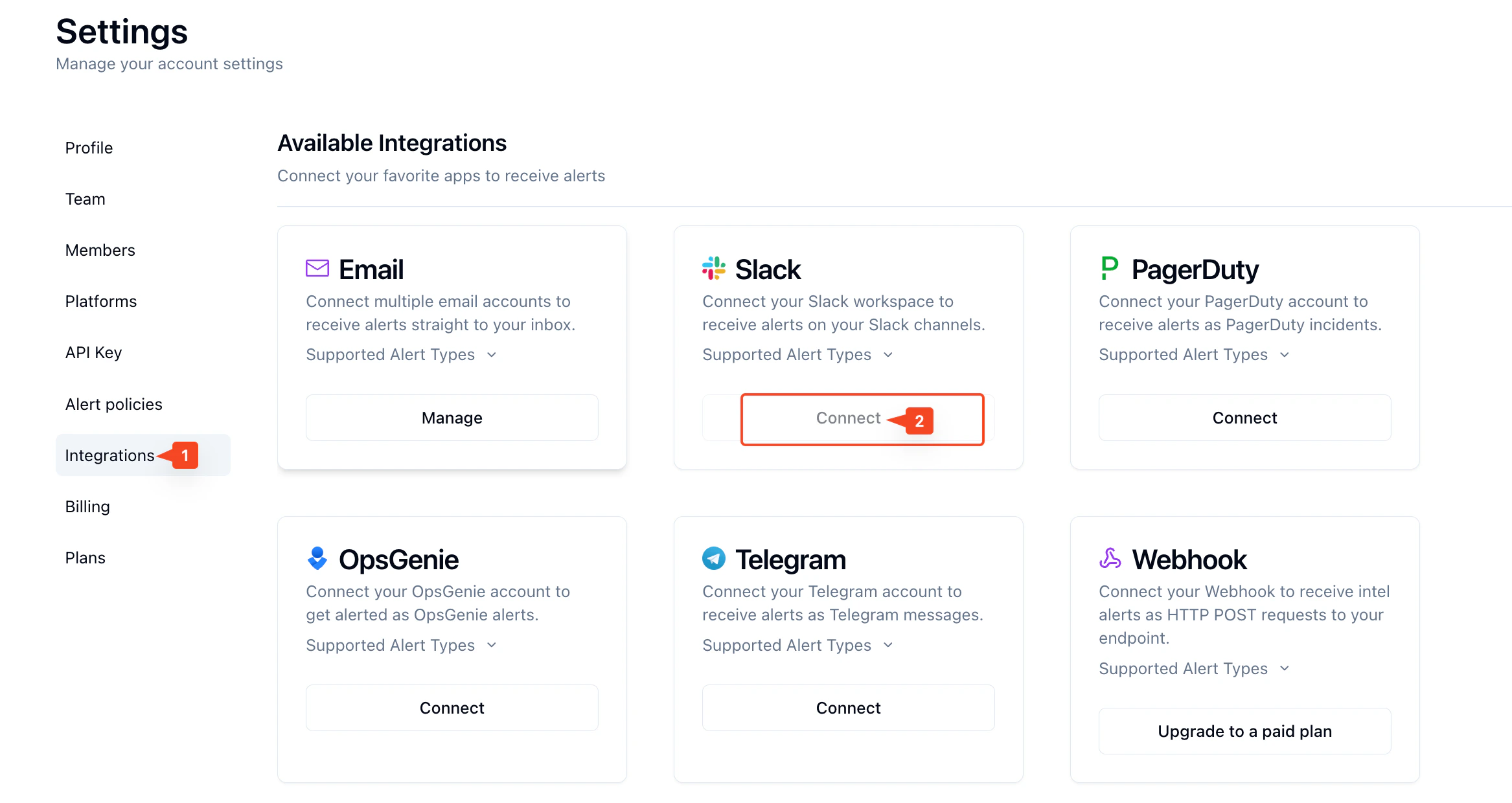
Click on **Integrations** tab on the left, then press **Connect** under **Slack**.
<img src="https://mintcdn.com/scale3labs/O0WXC3tuYZrwI26B/images/slack-alert-channel-1.png?fit=max&auto=format&n=O0WXC3tuYZrwI26B&q=85&s=75ad9975661e6aec6d1e6f8ac0c2ce98" alt="" width="2334" height="1240" data-path="images/slack-alert-channel-1.png" />

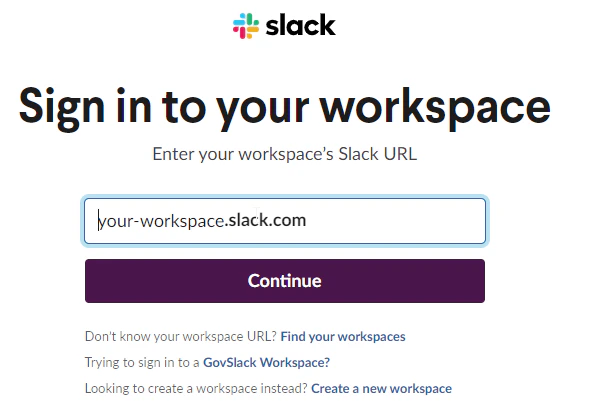
You will be redirected in order to enter your Slack workspace
<img src="https://mintcdn.com/scale3labs/O0WXC3tuYZrwI26B/images/slack-alert-channel-2.png?fit=max&auto=format&n=O0WXC3tuYZrwI26B&q=85&s=b51645c9e65c6e16b9aa5d52e0abcfc0" alt="" width="612" height="418" data-path="images/slack-alert-channel-2.png" />

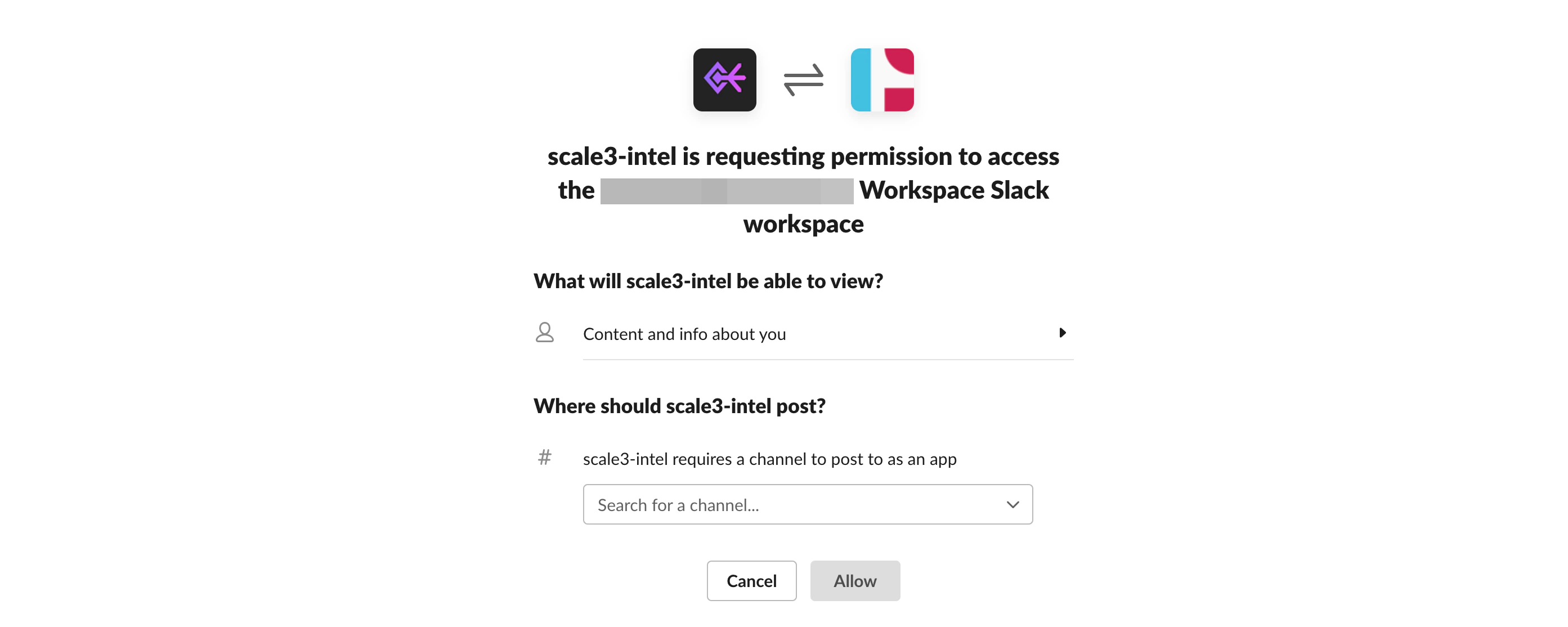
Allow permissions and select a Slack Channel, then click allow
<img src="https://mintcdn.com/scale3labs/O0WXC3tuYZrwI26B/images/slack-alert-channel-3.png?fit=max&auto=format&n=O0WXC3tuYZrwI26B&q=85&s=6540b5a5de7d4e9a89a7bdf759ae7e2a" alt="" width="2786" height="1114" data-path="images/slack-alert-channel-3.png" />

**All done**
