> ## Documentation Index
> Fetch the complete documentation index at: https://docs.scale3labs.com/llms.txt
> Use this file to discover all available pages before exploring further.
# Telegram
## Table of Contents
1. [Prerequisites](#prerequisites)
2. [Receive alerts as 1:1 chat](#to-receive-alerts-as-a-1-1-telegram-chat)
3. [Receive alerts in a group chat](#to-receive-alerts-in-a-telegram-group-chat)
4. [Add Telegram chat ID to Scale3 Autopilot Integrations](#add-telegram-chat-id-to-scale3-autopilot-integrations)
5. [Configuring Telegram Integration for Grafana Alerts](#configuring-telegram-integration-for-grafana-alerts)
6. [Conclusion](#conclusion)
## Prerequisites
* Have a Telegram account. Sign up for one [here](https://telegram.org/).
* Have a Telegram group chat or 1:1 chat with the `scale3-intel` bot. See steps below to setup.
### To receive alerts as a 1:1 Telegram chat
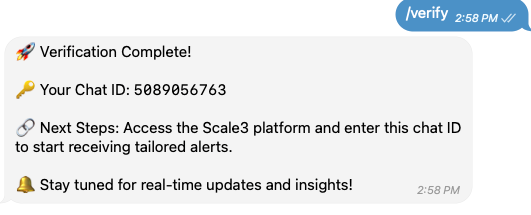
* Search `scale3-intel` bot in your Telegram app
* Open a chat with the bot and type `/start`
* You will receive a Verification Complete message, copy the Chat ID and continue the steps
 ### To receive alerts in a Telegram Group chat
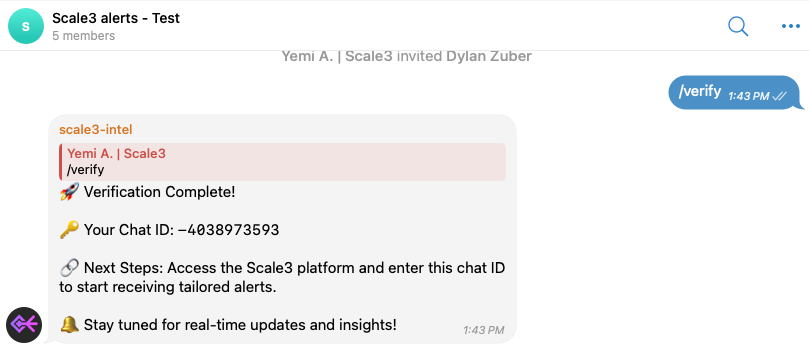
* Invite `scale3-intel` bot to the telegram group chat
* Type in `/verify` in the group chat, you will receive a Verification Complete message
* Copy the Chat ID include any - as shown in example below the chat ID is `-4038973593`
### To receive alerts in a Telegram Group chat
* Invite `scale3-intel` bot to the telegram group chat
* Type in `/verify` in the group chat, you will receive a Verification Complete message
* Copy the Chat ID include any - as shown in example below the chat ID is `-4038973593`
 *
### Add Telegram chat ID to Scale3 Autopilot Integrations
* On the Scale3 Autopilot page, Navigate to **Settings > Integrations**
* You may also hit **CMD+K** on your keyboard then search for **Integrations**
* Use the **Connect** button under Telegram integration to provide the Chat ID you copied from previous step
*
### Add Telegram chat ID to Scale3 Autopilot Integrations
* On the Scale3 Autopilot page, Navigate to **Settings > Integrations**
* You may also hit **CMD+K** on your keyboard then search for **Integrations**
* Use the **Connect** button under Telegram integration to provide the Chat ID you copied from previous step
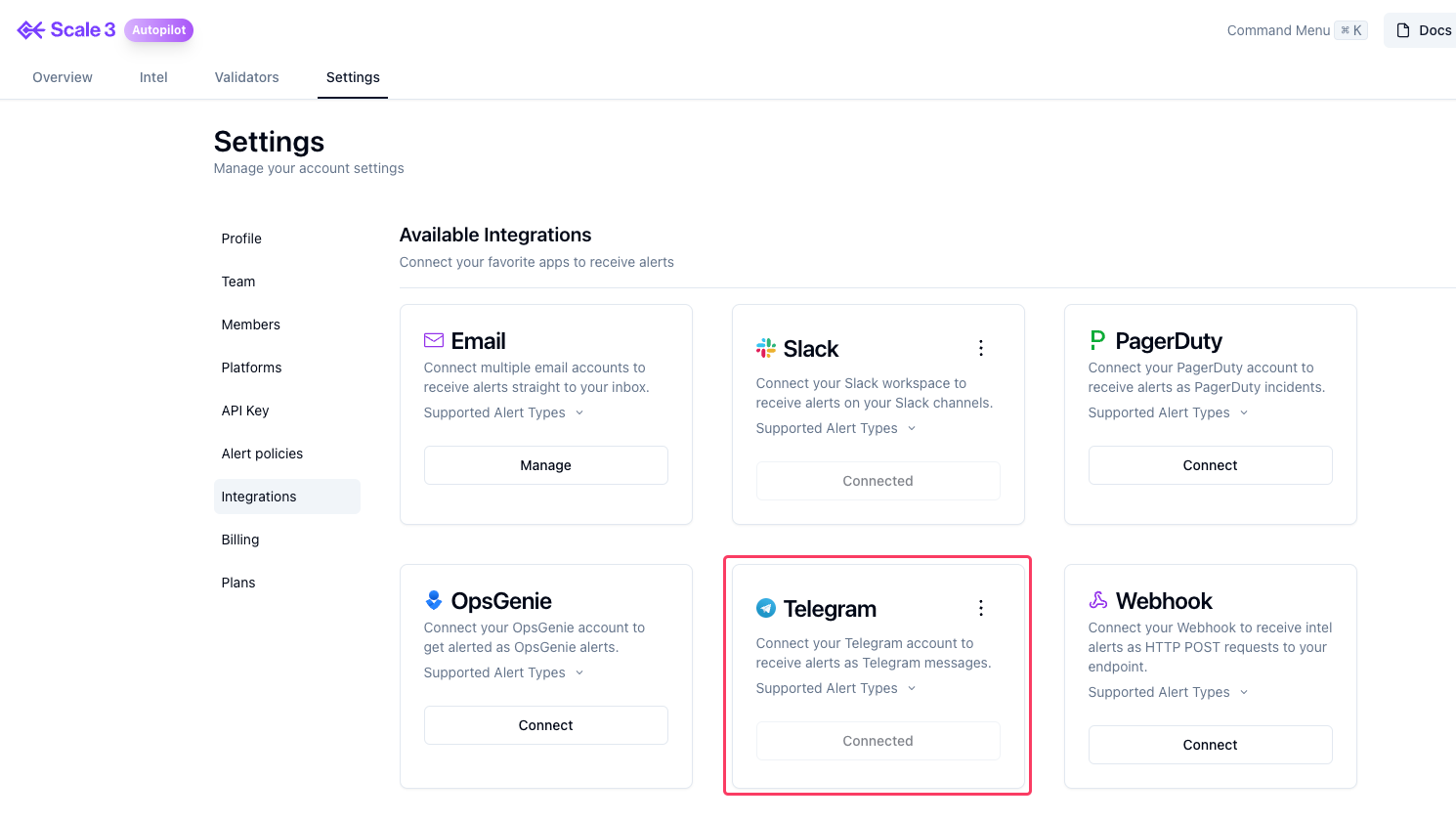 * You’ve successfully configured Telegram as an alert integration.